To improve the basic functionality of the CLM 6.x SPARQL Editors I created my own Editor with the following features.
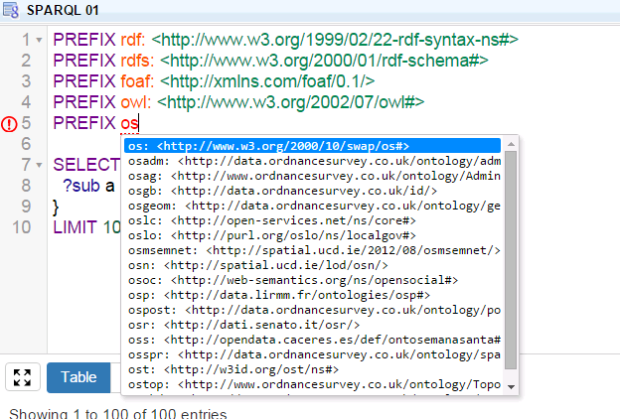
- Prefix autocompletion (using prefix.cc and/or the content of the CLM Triplestore)
- Property and class autocompletion (using the Linked Open Vocabularies API and/or the CLM Triplestore)
- SPARQL syntax highlighting and error checking
- Possible to execute the query directly
To be honest…90% of the work is from YASQE/YASR which in turn is based on CodeMirror. You see with this example how powerful javascript could be.
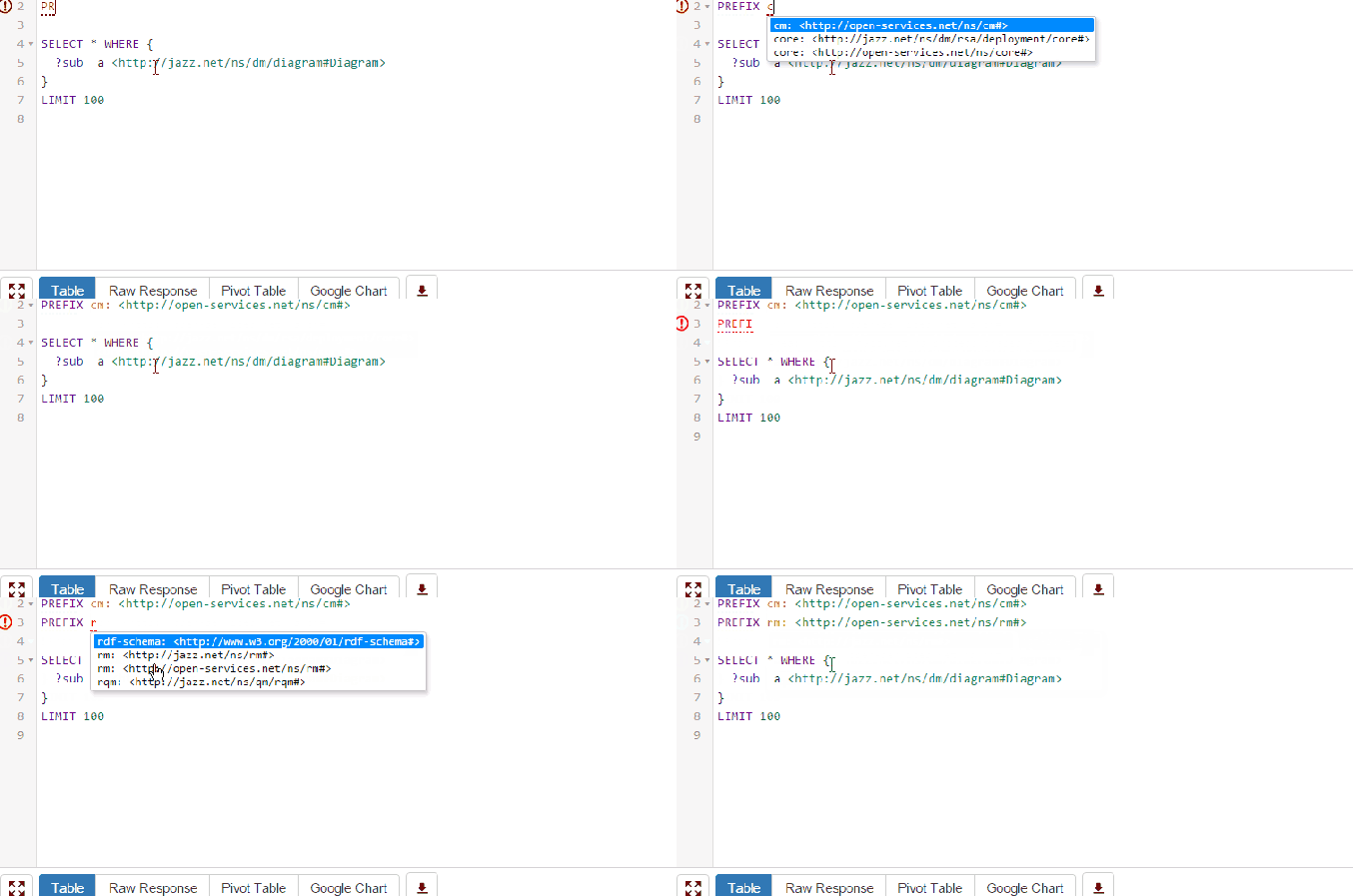
CLM Prefix Autocompleter:
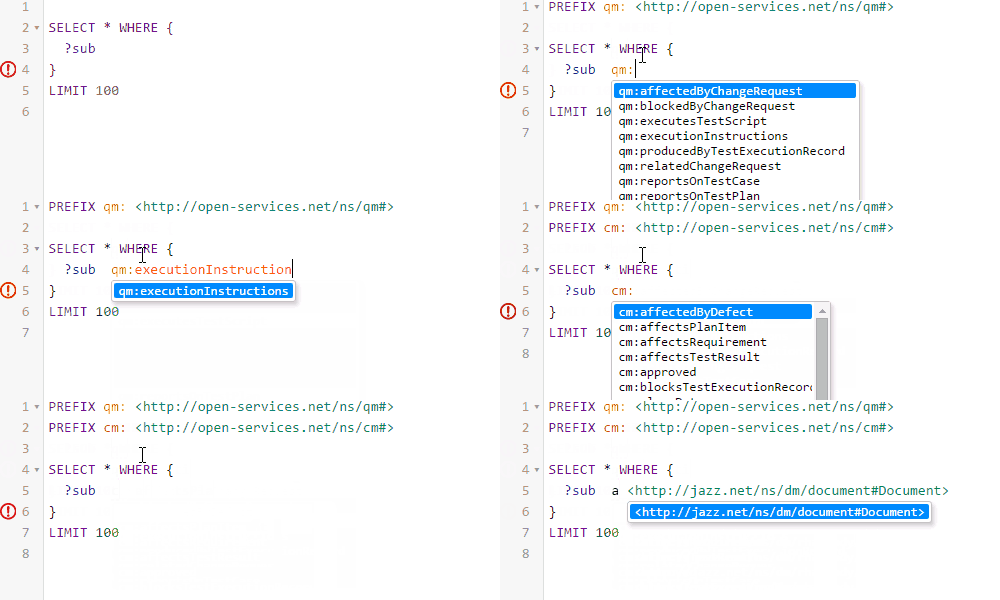
CLM Properties and Class Autocompleter:
In the Animation below you see how to type in the Prefix and you will get the Properties related to the selected Namespace. If the Prefix is missing the SPARQL Editor will insert it at the beginning.
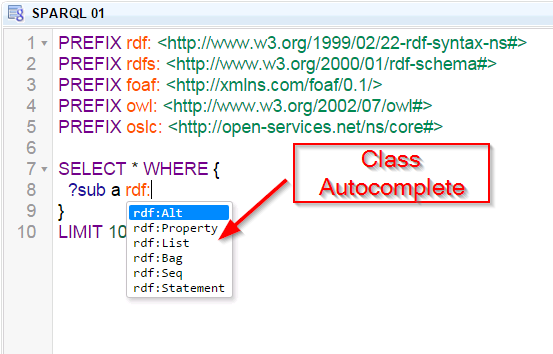
Also a Class Completer is available.
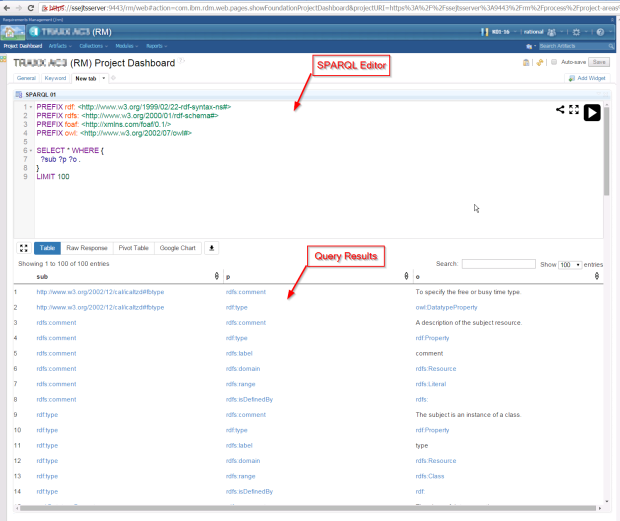
First impression is here…Screenshots of the SPARQL Editor as a Open Social Gadget inside a CLM Dashboard. The SPARQL Endpoint is “https://…:9443/lqe/sparql. Don’t forget to set the Request Header
‘X-Jazz-CSRF-Prevent’: ‘1’ otherwise it doesn’t work. In YASQE you have to configure:
YASQE.defaults.sparql.endpoint = “https://ssejtsserver:9443/lqe/sparql”; YASQE.defaults.sparql.headers = {‘X-Jazz-CSRF-Prevent’: ‘1’};
SPARQL Editor:
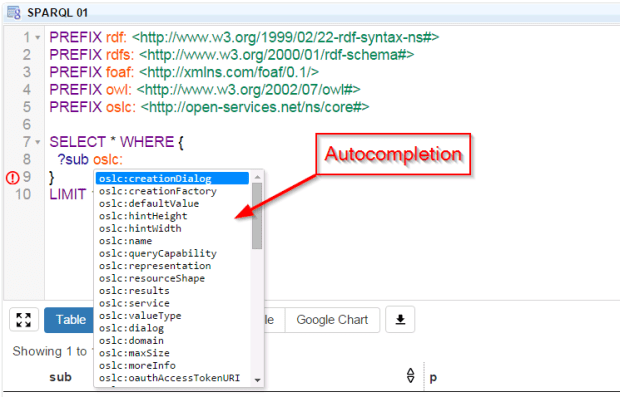
Property Autocompleter:
Class Autocompleter:
Prefix Autocompleter:
 Steve Blog