I used my free time to investigate Browser Extensions dedicated for Rational CLM Tools.
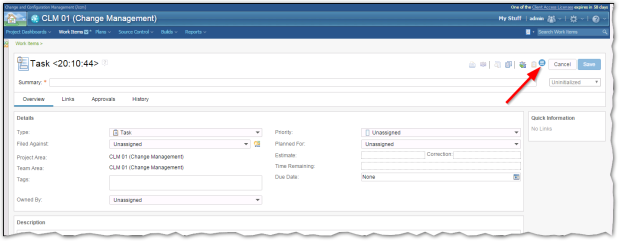
To give you an example of UI extension…I added the “Hotdog stack” Button/Icon to a RTC Workitem. If you click it a custom function is started.
Chrome vs Firefox Browser Extensions
It seems that Chrome is the best platform for this job, but there are some drawbacks like “only a public extension repository”.
Firefox is (may be) more flexible.
Pros and Cons
With every new technology let us start with the “Pros” and “Cons”
|
Description |
Java SDK |
Browser Extension |
| Available for RTC |
x |
x |
| Available for RQM | – |
x |
| Available for DNG | – |
x |
| Redeploy after every RTC Upgrade | x | (Only if the Web UI has significant changes) |
| Enforce Policies | x (only RTC) | – |
| Complex Implementation | x | ? (Only HTML, CSS and Javascript) |
| Change the Web UI | (very limited) | x |
| Available for Eclipse | x (only RTC) | – |
| Good Debugging Support | – | x (Browser Tools) |
| CORS | – | x (Browser Extensions has no limitation like normal Javascript) |
Conclusion
My personal conclusion is “it depends”…
If you need support for RTC Eclipse or you have to implement some RTC policies then you have to use the RTC Java SDK.
Browser Extensions could help you with your daily CLM Business like automation of workflows (creating Child Workitems or fill in some CLM Forms).
 Steve Blog